





How to Balance a Gimbal in 4 Steps: Tilt, Roll and Pan
A gimbal gives smooth footage only when its motors stabilise the camera. They should not hold it up. So balance the camera first, with the gimbal switched off, and let the motors do the fine work later.
The order matters. Build the full camera rig, then balance each axis one at a time. Lock each axis before you move to the next one.
- Vertical tilt: point the lens up and slide the camera until it stays put.
- Tilt depth: point the lens forward and move the camera until it does not lean front or back.
- Roll: adjust sideways until the camera sits level.
- Pan: hold the grip tilted forward and adjust the pan arm until the camera does not swing.
This guide uses the DJI RS series as the example, because DJI publishes clear manuals for it. Zhiyun, Manfrotto and other handheld gimbals use the same logic, but their knobs and levers sit in different places. Always check your own manual for the exact controls.
Why balance matters
DJI says it plainly: an unbalanced gimbal can hurt video stability and reduce battery life. Severe imbalance can make the device overheat and go into hibernation (DJI RS 4 user manual). DJI also warns that skipping balance overloads the motors, so they do not perform as well as they should (DJI gimbal guide).
Think of it like holding a heavy bag at arm’s length. You can do it, but your arm tires fast. A balanced camera lets the motors rest, so they have power left for the small corrections that keep your shot smooth.
Balance does not need to be perfect to the gram. It needs to be good enough that the camera stays where you leave it, in every position.
Prepare before you balance
Most balancing problems start before the first adjustment. Set up like this:
- Build the full rig first. Fit the lens, battery, memory card, cage, microphone and cables. DJI says the camera must be fully configured with all accessories and cables before you balance (DJI Ronin SC manual).
- Take the lens cap off. A cap adds weight that will not be there on the shoot.
- Set zoom lenses. Power the camera on and zoom to the focal length you plan to use. Balance it at that length, because the lens changes as you zoom (DJI balancing guide).
- Switch the gimbal off. DJI says to mount and balance with the gimbal powered off or asleep.
- Check the payload. The DJI RS 4 has a tested payload of 3 kg. The RS 4 Pro handles 4.5 kg (DJI RS 4 user manual). Add up camera, lens, plate, cage and every accessory.
Payload is only half the story. A long lens can push the centre of mass out of the gimbal’s adjustment range, even when the total weight is fine. We cover that fix further down.
The four balancing steps
Work in this order. Each step builds on the one before.
Step 1: balance the vertical tilt
This step checks whether the camera is top-heavy or bottom-heavy.
- Unlock the tilt axis and loosen the mounting plate knob.
- Rotate the tilt axis so the lens points straight up.
- Watch which way the camera falls. If it is top-heavy, move it backward. If it is bottom-heavy, move it forward.
- Tighten the knob while you hold the camera upward.
The axis is balanced when the camera stays steady with the lens pointing up (DJI RS 3 user manual).
Step 2: balance the tilt depth
Now check front and back weight.
Point the lens forward and unlock the depth adjustment. If the camera tips toward the lens, it is front-heavy, so move it back. If it tips toward the screen, it is back-heavy, so move it forward. Lock the adjustment.
DJI’s test is simple. The camera should stay steady when you tilt it up or down by about 45° (DJI RS 4 user manual).
On the RS 4, a fine-tuning knob on the tilt axis moves the camera forward and back in small steps. DJI also coats all three axes with Teflon for smoother balancing (DJI RS 4 Pro). Use the knob for the last few millimetres.
Step 3: balance the roll axis
Unlock the roll axis. Watch which way the camera rotates. If it rolls left, move the camera right. If it rolls right, move it left. Lock the axis when the camera stays level.
If your camera and lens are heavy, hold the camera with one hand while you adjust the axis arm. Then lock the lever. DJI recommends this in its balancing guide.
Step 4: balance the pan axis
Pan is the last axis. It is easy to skip, but it matters.
Unlock the pan axis. Hold the grip and tilt the gimbal forward until the pan arm is parallel to you. If the lens turns left, push the pan axis right. If it turns right, push it left. Lock the adjustment.
The pan axis is balanced when the camera stays steady as you rotate the pan arm while the grip is tilted (DJI RS 4 user manual).
Check your balance before you shoot
After all four steps, run a quick test with the gimbal still off. Unlock all axes and move the camera to a few angles: level, tilted up, tilted down. A well-balanced camera stays at each angle. If it drops toward the lens or the screen, the motors would waste power fighting that pull.
The DJI RS 4 also shows balance on its status bar. Green or grey means balanced. Yellow means slightly unbalanced. Red means critically unbalanced. DJI tells you to tilt the gimbal 15° left or right to read the bar (DJI RS 4 user manual). If your gimbal has an auto-tune or calibration function, run it after you finish.
When the camera will not balance
Sometimes you slide the plate to the end and the camera still falls forward. This usually means the centre of gravity sits outside the adjustment range. You have two fixes.
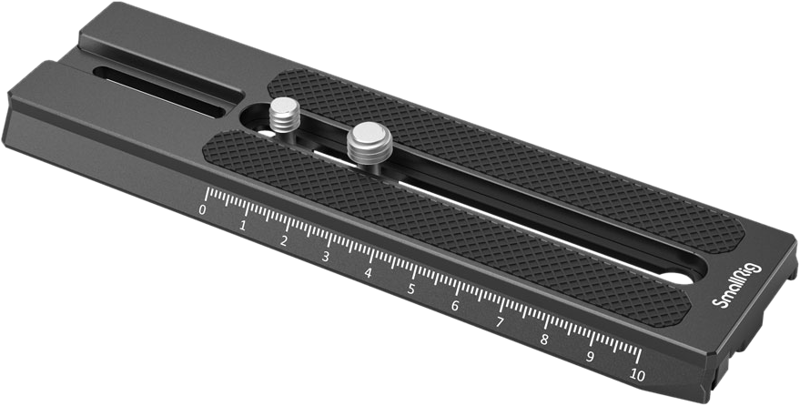
Fix 1: use a longer plate. An extended quick-release plate gives the camera more travel. The SmallRig 3031 extended plate is made for DJI RS 2, RSC 2, RS 3 and RS 3 Pro gimbals. Its product page lists 40 mm of extra plate length. It suits cinema-style bodies and long lens setups. Check that it fits your gimbal before you buy.
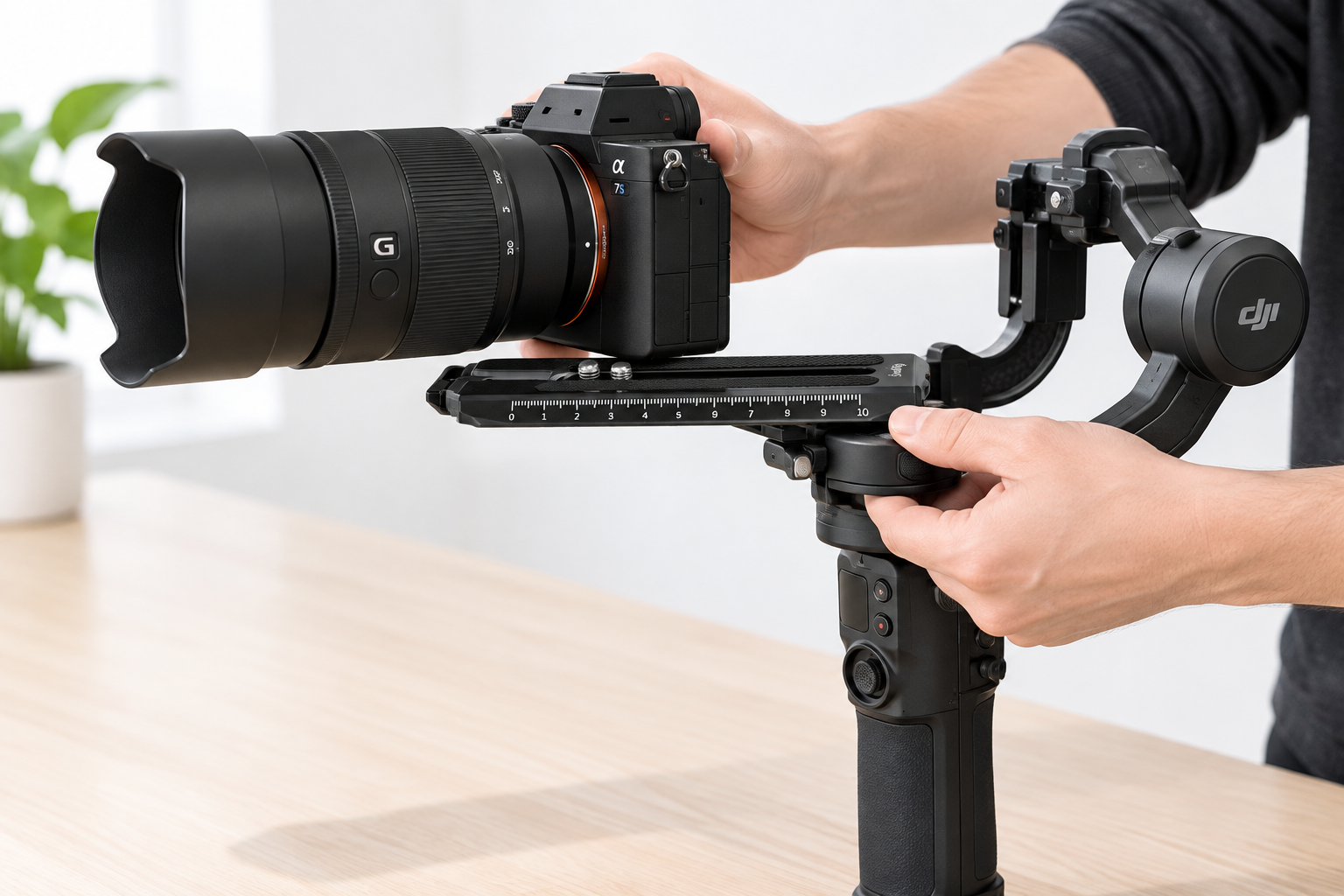
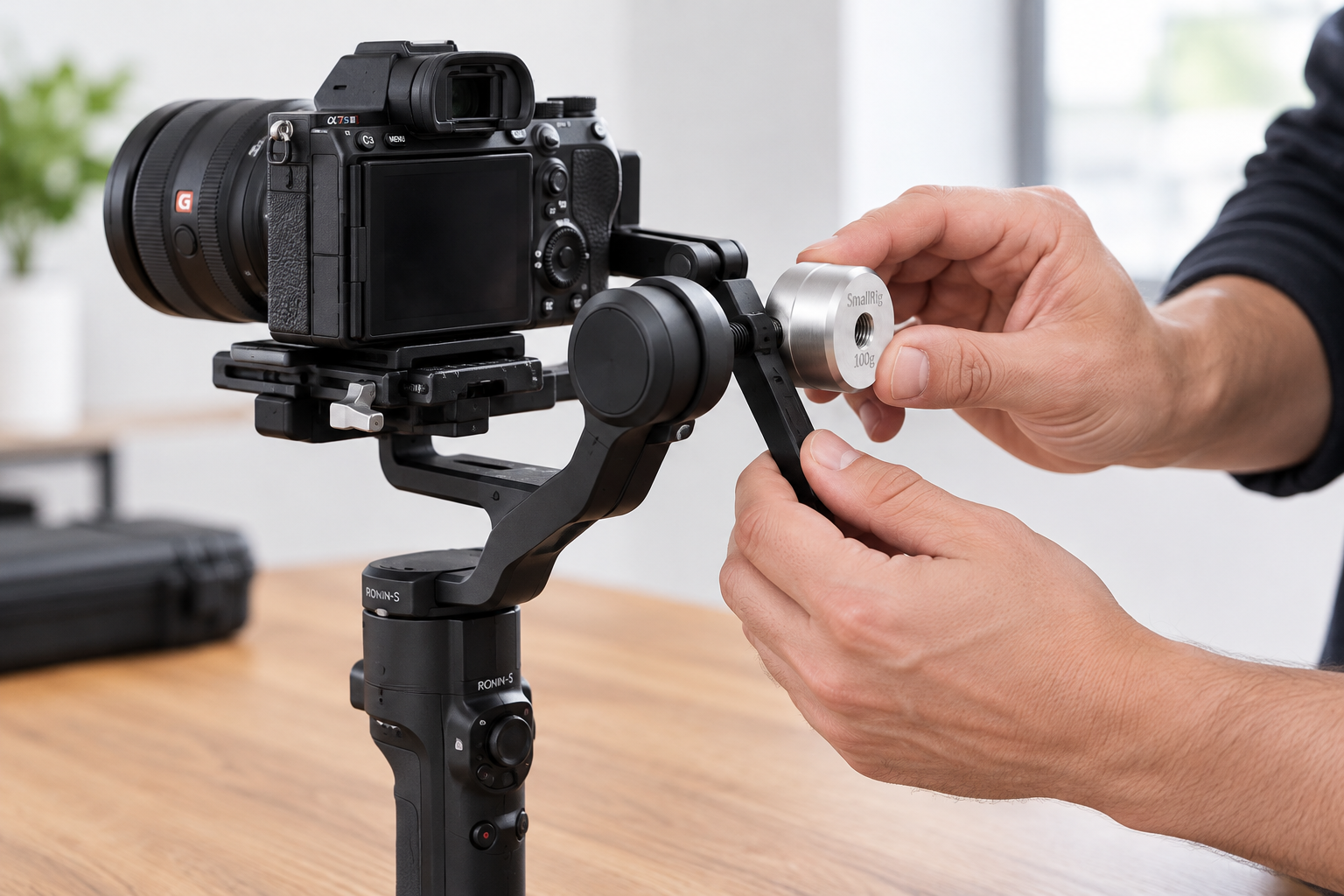
Fix 2: add a counterweight behind the camera. DJI’s counterweight guidelines say you may need one when a long or wide setup pushes the centre of gravity outward. If a counterweight does not solve it, adjust the quick-release plate position as well (DJI counterweight guidelines).
Before you add weight, work out your spare capacity. DJI’s formula is: gimbal payload limit, minus camera, minus lens, minus all other accessories. The counterweight must fit inside what is left.
Here is a worked example with made-up weights:
| Item | Weight |
|---|---|
| Gimbal payload limit (RS 4) | 3,000 g |
| Camera body | 1,000 g |
| Lens | 900 g |
| Plate, cage and microphone | 300 g |
| Spare capacity | 800 g |
A 100 g counterweight fits easily here. But your motors still carry more load, so use the lightest weight that works.
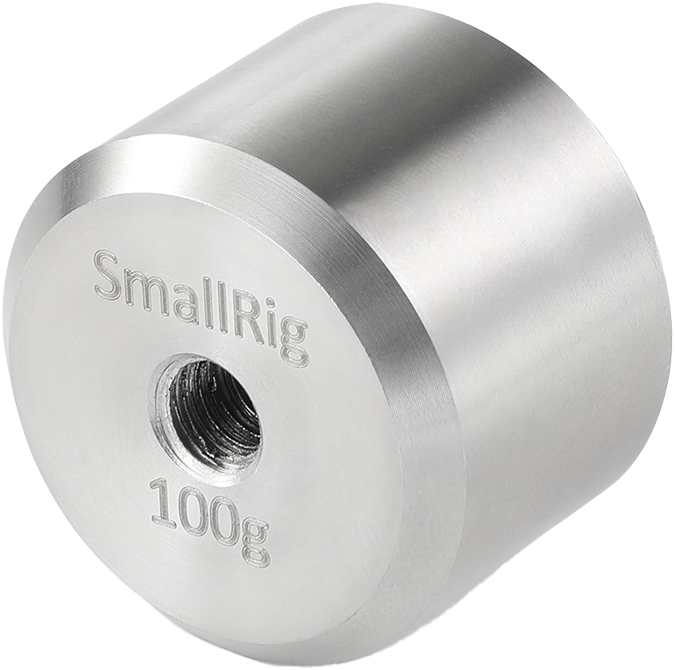
The SmallRig 2284 counterweight weighs 100 g and is listed for Ronin S and Zhiyun gimbals. Check compatibility with your model first. Counterweights only fix a reach problem. They do not make an overloaded gimbal safe. If your rig is near the payload limit, a stronger gimbal is the better answer.
DJI also recommends its lens-fastening support for long or heavy lenses (DJI RS 3 user manual). Use it before you switch on SuperSmooth mode.
When to rebalance
Balance is not a one-time job. DJI’s guidance for its Ronin line says to rebalance whenever the payload changes (DJI RS 4 Mini FAQ).
| Change | What to do |
|---|---|
| New lens or camera | Rebalance all four axes |
| Add or remove a monitor, mic or light | Rebalance, since the weight changed |
| Zoom to a new focal length | Set the zoom first, then rebalance |
| Switch to portrait mode (DJI RS 5) | Rebalance vertical tilt and roll. Tilt depth and pan stay the same |
| Add a counterweight | Rebalance, then calibrate if your gimbal offers it |
DJI’s RS 4 Pro also lets you release the horizontal plate and secure it vertically for portrait shooting, with no extra accessory needed (DJI RS 4 Pro). Rebalance after you switch.
Common mistakes
- Balancing with the gimbal on. The motors fight you, and you cannot feel the real balance point.
- Adding gear after balancing. A mic added “just for this shot” changes the balance. Rebalance, or leave it off.
- Skipping the pan axis. The camera looks fine on the bench, then wobbles when you tilt the grip.
- Raising motor strength to cover bad balance. Fix balance first. Then raise motor strength only as far as you need.
- Ignoring plate and cage clearance. The camera must clear the roll axis arm at the back of the gimbal. It must not slide off the plate either.
Key Takeaways
- Build the complete rig, remove the lens cap and switch the gimbal off before you balance.
- Balance in order: vertical tilt, tilt depth, roll, pan. Lock each axis before the next.
- A balanced camera stays still at any angle. Test it before you power on the motors.
- If the plate runs out of travel, use a longer plate or a counterweight, and stay inside your payload limit.
- Rebalance every time you change lens, accessories or shooting mode.
Ready to build a rig that balances cleanly? Browse our gimbals and accessories for plates, counterweights and handles from SmallRig. Not sure whether a gimbal fits your shoot at all? Read our guide on gimbal vs tripod for video. Need help matching a plate or counterweight to your camera? Ask our team, and we will help you check it.









