





Genlock vs Timecode: What Each Does and When You Need It
Genlock and timecode both “sync” cameras, but they solve different problems. Genlock locks the timing of video signals so every camera starts each frame at the same moment. Timecode gives every recorded frame a label (hours, minutes, seconds, frames) so you can line up clips later.
The short rule:
- You switch cameras live? A switcher with input frame synchronisers can handle cameras without external genlock. LED walls, 3D rigs and camera arrays need matched frame timing through genlock.
- You record cameras and audio separately and cut them together in an edit? Timecode is enough.
- Big multi-camera jobs often need both, from one master clock.
| Genlock | Timecode | |
|---|---|---|
| What it syncs | When each frame is captured or sent | The number written on each frame |
| Signal | Black burst or tri-level sync | LTC or similar, per SMPTE ST 12 |
| Works in | Real time, live | Post-production, logging |
| Typical connector | BNC “Genlock/Ref In” | BNC “TC In”, 3.5 mm, or wireless |
| Fixes | Timing-related picture jumps when switching without input frame synchronisation | Clips that will not line up in the edit |
This guide stays on the signal side. For waveform sync and drift in post, read our guide to syncing audio and video. For camera angles and switcher setup, see our multi-camera live stream guide.
What genlock does
Genlock (generator locking) locks the timing of video outputs to a reference source. Sources locked to the same reference can be switched cleanly on a frame boundary, according to the Altera video documentation.
The reference is a signal with no picture in it. Two types are common:
- Black burst is an analog signal that carries sync pulses and a colour phase reference. It is used for standard definition. Skyworks describes it as essentially analog composite video without the video information.
- Tri-level sync is the HD reference. Sony notes in its camera help guide that tri-level is recommended in noisy environments because of its strong noise immunity.
Without genlock, two cameras run on their own clocks. Their frames start at slightly different moments. When you cut from one to the other, the picture can jump unless the switcher re-synchronises its inputs. Blackmagic says in its Studio Camera manual that genlocking cameras to an external reference helps prevent these timing errors.
A master sync generator makes the reference. You send it to every camera, switcher and recorder with BNC cables. Our coax cables category covers the BNC runs you need.
The Blackmagic Mini Converter Sync Generator is a compact way to do this. It has six crystal-stabilised reference outputs, and each one can be black burst or tri-level, according to Blackmagic’s specifications. Check stock status on the product page before you plan around it.

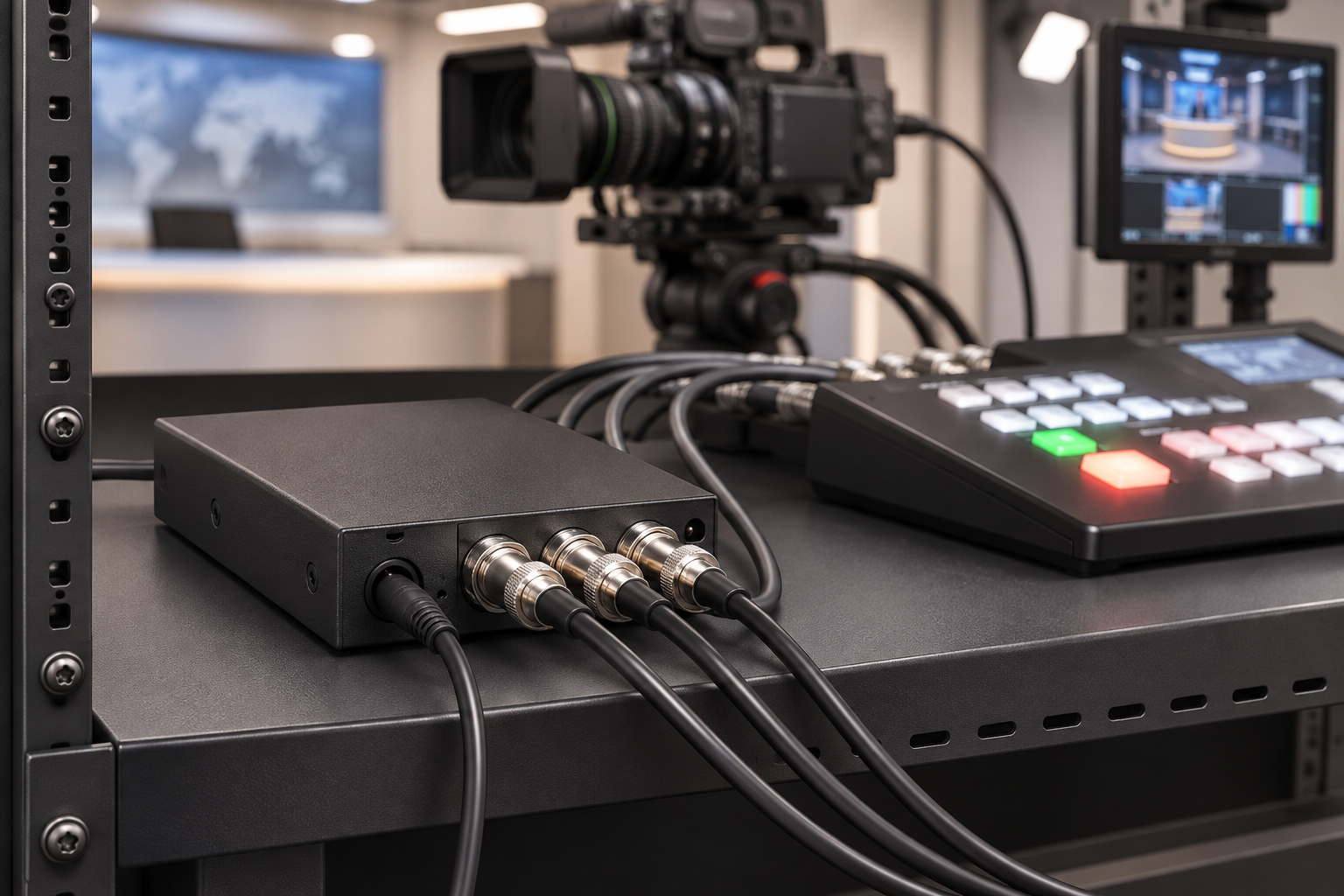
Two practical rules apply to genlock:
- Match the frame rate. RED’s genlock guide says cameras must use the same project time base and recording frame rate. ARRI says the sensor must run at equal or double the frame rate of the reference signal, in its synchronisation guide.
- Give it time to lock. Canon notes that the genlock signal stabilises after about 10 seconds. Its support article says a “GEN” indicator shows when the camera has locked.
What timecode does
Timecode labels frames. SMPTE describes ST 12 as a way to label individual frames of audio and video with numeric codes in the form hour:minute:second:frame.
The label travels in one of two ways. Linear timecode (LTC) is a signal that can be recorded on an audio track or sent over a cable, independent of the video. Vertical interval timecode (VITC) sits inside the video signal. Both are defined in SMPTE ST 12-1.
You also choose between two counting modes at 29.97 fps:
- Non-drop-frame numbers every frame, with no gaps.
- Drop-frame skips the numbers 00 and 01 at the start of each minute, except every tenth minute. No picture frame is removed. Only the labels skip, so the timecode matches the wall clock.
Set every device to the same mode. A mix of drop-frame and non-drop-frame is a classic cause of timecode that slowly slides apart in the edit.
Timecode does not touch the sensor. The RED KOMODO guide from Aspect puts it simply: timecode will not make every sensor expose at the same instant. It gives each recorded frame a shared time reference, so the editor can align clips and external audio.
Why timecode alone drifts
Most cameras and recorders do not share a clock. You “jam sync” them. A generator sends its timecode to the camera for a moment, then you unplug it. After that, each device counts on its own oscillator. RØDE explains that once you unplug the generator, the clocks can run at slightly different rates.
The error is measured in parts per million (ppm). One ppm is about one microsecond of error per second, or roughly 86 milliseconds per day.
Here is a worked example at 25 fps, where one frame lasts 40 ms:
- A 0.5 ppm clock drifts about 43 ms in 24 hours. That is about one frame. Atomos specifies the UltraSync One at 0.5 ppm free-running, about one frame in 24 hours.
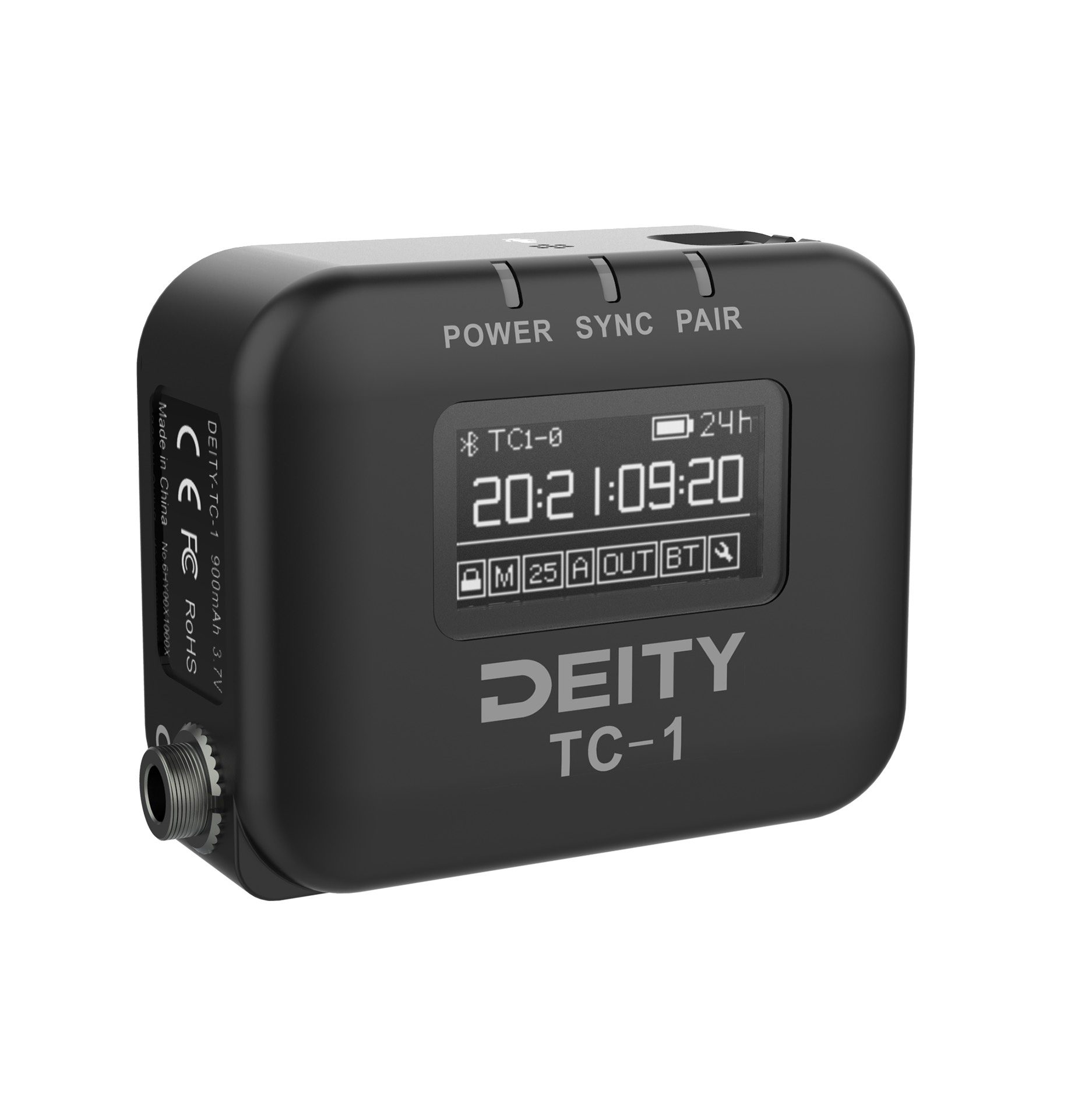
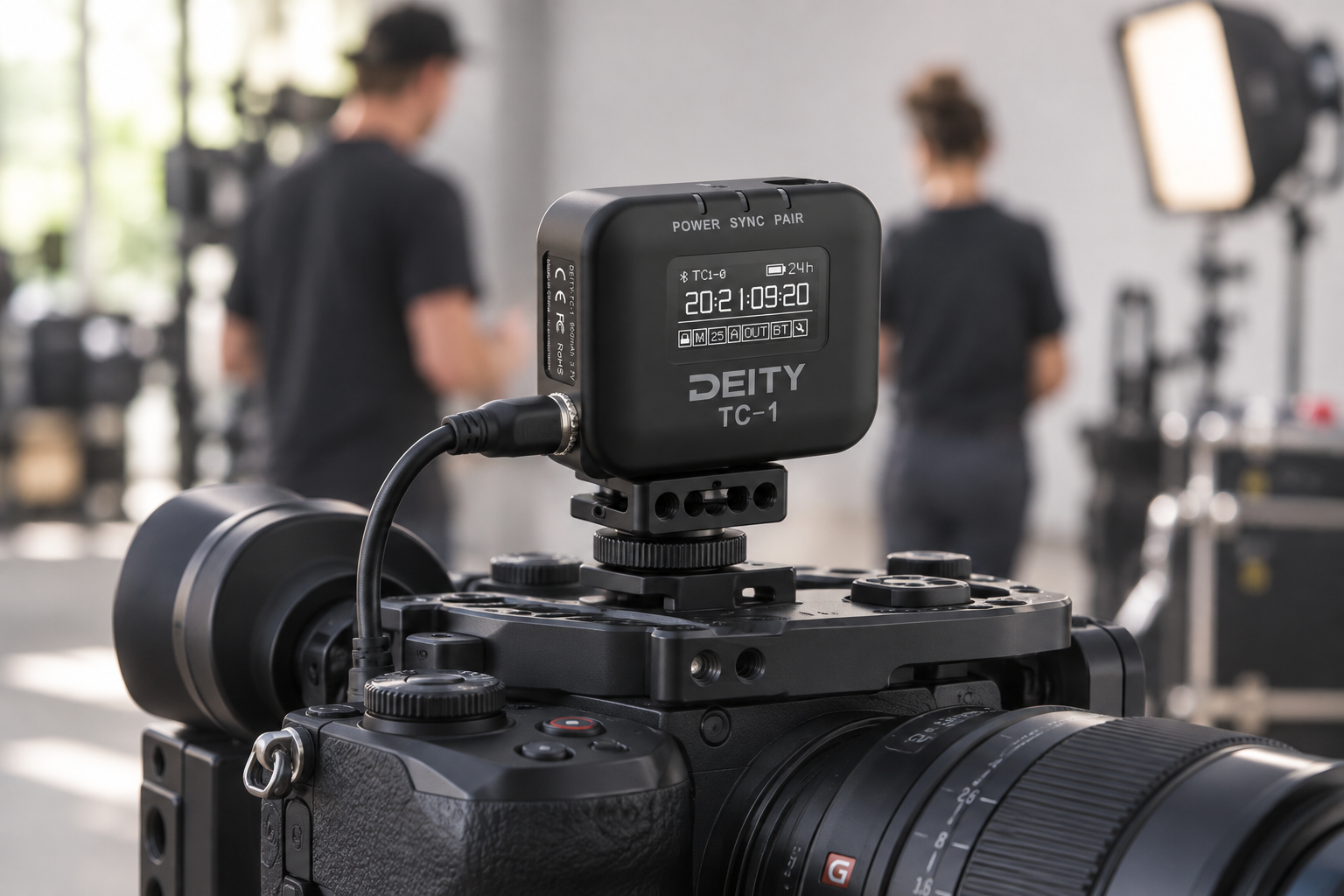
- A 0.2 ppm clock is better. Tentacle Sync lists the SYNC E at 0.2 ppm with under one frame of drift in 24 hours.
- A basic crystal at 20 ppm, typical of a wristwatch, would drift about 1.7 seconds in a day, according to University of Oslo course notes.
So good timecode boxes keep labels within a frame for a day. Even then, Atomos advises re-jamming once or twice a day. And a label that agrees within a frame says nothing about when the sensors exposed. Two cameras can carry identical timecode and still capture their frames at different moments.

When you need genlock, timecode or both
Use these criteria rather than a gut feeling.
Choose timecode only if:
- You record on each camera and cut later in Premiere Pro or DaVinci Resolve. Adobe’s multicam workflow can sync clips by timecode if it is accurate.
- You use separate audio recorders and want fast, frame-accurate alignment.
- Your cameras have no reference input. Timecode is then the only sync option you have.
Choose genlock if:
- You cut live between cameras and need matched signal timing rather than relying on the switcher’s input frame synchronisers. PTZOptics sums it up in its broadcast guide: genlock syncs when each camera captures a frame, while timecode gives every frame a common timestamp.
- You shoot in front of an LED wall. Without a shared reference, the camera exposure will not line up with the wall refresh. The OptiTrack documentation says you need a timecode generator and a genlock generator, or one device that does both.
- You build stereo 3D rigs or camera arrays. SMPTE’s recommended practice RP 2076-1 says the cameras should expose each sensor at the same time and also time-stamp each frame.
- You run video walls where displays must refresh together.
Use both if you record multiple cameras on an LED stage, or run a live production that also records ISO files. Then both signals should come from the same master clock. ARRI stresses that both sync signals should originate from the same source clock.
A mistake we see often is buying timecode boxes to fix a live-switching problem. A timecode box will make your clips match in the edit. It will not synchronise live video signals; that requires genlock or a switcher with input frame synchronisers.
Equipment compatibility: what to check
Spec sheets use different names. Look for “Genlock In”, “Ref In” or “Tri-Sync/Black Burst” for genlock. Look for “TC In” for timecode. Here is how some popular gear compares, based on manufacturer pages:
| Device | Genlock / reference | Timecode |
|---|---|---|
| Blackmagic URSA Mini Pro | Reference input, Tri-Sync or Black Burst | Same reference input |
| Sony FX9 | Genlock In / Ref Out BNC | TC In / TC Out BNC |
| Sony FX6 | No genlock input confirmed in the manual we checked | BNC TC In/Out, switchable |
| Canon EOS C300 Mark III | Only with optional EU-V1 or EU-V2 unit | BNC in/out |
| ATEM Mini switchers (models listed) | Reference input: none; inputs are re-synced instead | Not listed |
| ATEM Television Studio | BNC in/out, Tri-Sync or Black Burst | BNC in/out |
Sources for the Sony rows: the FX9 manual and the FX6 manual.
Four things to take from this:
- Many cameras take timecode but not genlock. If a camera has no reference input, no accessory will lock its sensor. Plan around it, or choose a camera with the input.
- Some genlock is an add-on. The Canon C300 Mark III needs an expansion unit. Price this in before you buy.
- Small switchers may not accept a reference. The ATEM Mini models we checked list no reference input, but they re-sync their inputs. Larger ATEM models take a reference. If your plan needs a genlocked switcher, check the spec first.
- Connectors differ. Timecode inputs may be BNC, LEMO or a 3.5 mm jack. Deity makes cables for these, such as the C15 TRS 3.5 mm to BNC cable and the C23 for Sony FX3/FX30.
For small genlocked cameras, the Marshall CV368 offers a Sony global shutter sensor and tri-level genlock, according to its product page. It suits studio setups where cameras must lock to a house reference. It does not suit you if you only need clip labels for an edit.

Mixed fleets are normal, so some devices cover both jobs. The Atomos UltraSync One outputs timecode, genlock and word clock, according to Atomos. Verify that your cameras accept what it sends before you rely on it.
Quick setup checklist
- List every device and note whether it has a reference input, a timecode input, or both.
- Pick one master clock. Feed genlock to the devices that have it and timecode to the rest.
- Set the same frame rate and drop-frame mode on every device.
- Check that each camera shows a lock indicator before you roll.
- For timecode-only cameras, re-jam at least once a day.
Key Takeaways
- Genlock aligns when frames are made. Timecode labels frames that already exist.
- Live switching can use genlock or a switcher’s input frame synchronisers. LED walls, stereo rigs and camera arrays need genlock. Edit-only multicam jobs can run on timecode.
- Timecode devices drift. Good ones stay within about one frame per day, so re-jam them regularly.
- Check the camera spec for a Ref/Genlock input before you buy. Many cameras have timecode only.
- On larger jobs, derive both signals from one master clock.
Not sure which sync gear fits your cameras? Tell MediaGear your camera models and show type, and we will help you pick the right sync generator, timecode box and cables.


