





Intercom System for Live Production: How to Choose
For a small to mid-size live show, a 1.9 GHz DECT wireless intercom is usually the right start. It needs no cable runs, works without a licence in Europe, and avoids the crowded Wi-Fi bands. Add a wired partyline or matrix only when your crew is large, spread over several rooms, or must link into existing gear.
The right choice depends on three things: how many people must talk, how far apart they are, and what the venue already has. Use this table to find your starting point.
| Your show | Start with | Why |
|---|---|---|
| 2-8 people, one area (conference, small stage, live stream) | Headset-only DECT system | No beltpacks or base station, fast setup |
| 8-16 people, stage plus front of house | Base-station DECT system with a panel antenna | More range, group talk, systems can be cascaded |
| 20+ people, several rooms, or an existing wired system | Matrix or roaming hub with 2-wire/4-wire links | Routing, many channels, wired positions |
Browse the full range in our intercom systems category. For a camera-focused setup, read our guide to intercoms on a film set.
Wired, wireless or matrix: what each one does
An intercom lets crew talk to each other while the show runs. Cues for lights, sound, cameras and stage hands all travel over it. Three system types cover most live work.
Partyline is a shared line. Everyone on a channel hears everyone else, like a conference call that never ends. Clear-Com’s partyline guide explains that analog partyline is a 2-wire system: talk and listen share one path. It uses standard 3-pin XLR microphone cable, with one wire carrying power. It is simple and cheap, but it has limits. TV Technology notes that partyline struggles beyond about four to six channels.
Matrix puts a central frame in the middle. It routes any port to any port, so each position gets its own talk and listen keys. Clear-Com positions its Eclipse HX matrix for the highest number of channels and the most user control. It is the backbone for big broadcast and theatre jobs.
Wireless frees the people who move: camera operators, stage hands, stage managers. Many wireless systems connect back to a wired partyline or matrix, so you can mix both.
Most real shows combine them. Desk positions (director, audio, lighting) stay wired or on a hub. Moving roles go wireless.
What range and frequency mean in practice
Wireless intercom specs look similar on paper. These details decide whether it works on show day.
Frequency band. In Europe, DECT uses 1880-1900 MHz. A CEPT decision exempts compliant DECT equipment from individual licensing, with limits such as 250 mW nominal power (the CEPT report lists the conditions). Hollyland’s Solidcom C1 transmits at up to 21 dBm (about 126 mW), well inside that limit.
Systems on 2.4 GHz share the band with Wi-Fi, phones and wireless cameras. CEPT lists 2400-2483.5 MHz as a band used by Wi-Fi-type devices on a non-protected basis. At a venue full of Wi-Fi, a 1.9 GHz system has less competition. Our guide to wireless frequency and interference covers the same logic for microphones.
Regional versions. DECT bands differ by region. Hollyland lists 1880-1900 MHz for Europe and 1920-1930 MHz for the USA and Canada on the Solidcom C1. Buy the version made for your region.
Range. Hollyland quotes up to 350 m line of sight for the Solidcom C1 Pro and 400 m for the Solidcom M1 Pro. Treat these as best-case figures with no walls and no crowd. Steel, concrete and a packed audience cut range, so test before doors open.
Antenna placement. The Solidcom M1’s built-in panel antenna reaches about 400 m in front of the panel and 50 m behind it, according to Hollyland. Its external fibreglass antennas give about 300 m in a 360° circle. So point the panel at the area where your crew works, and use external antennas when people are on all sides.
Battery life. Hollyland lists about 10 hours for a C1 remote headset and about 6 hours for the master headset. M1 beltpacks run up to 6 hours per battery, and each beltpack takes two. For a long show day, plan battery swaps in the run sheet.
Size the system: a worked example
Say you stream a one-day conference with a live panel. You have 12 people:
- 5 at the control desk: director, vision mixer, audio, graphics, producer
- 3 camera operators
- 1 stage manager
- 2 stage hands
- 1 lighting operator
The five desk positions sit in one place, so they can share a hub or a wired base. The other seven move around the venue, so they need wireless headsets. Put all 12 on one system and you pass the eight users of a standard set. You then need a hub or a cascaded system.
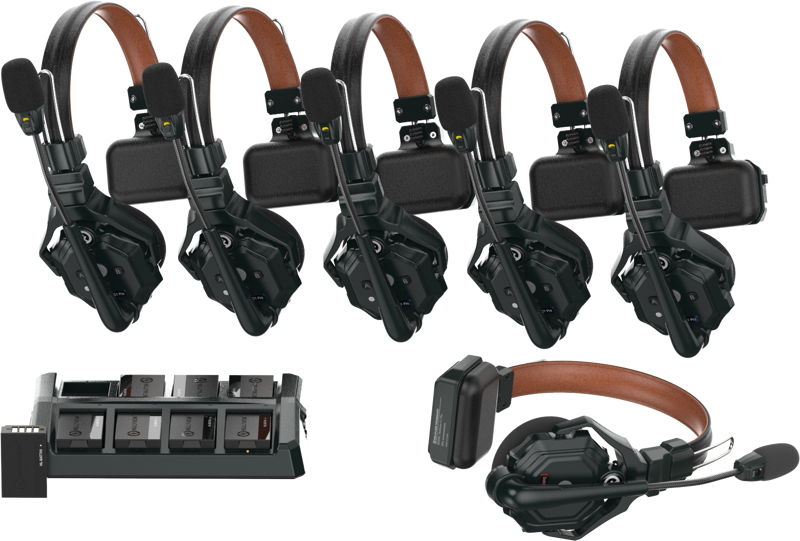
If you cut the crew to eight, a headset-only system is the simplest option. The Solidcom C1 Pro works without beltpacks or a base station.
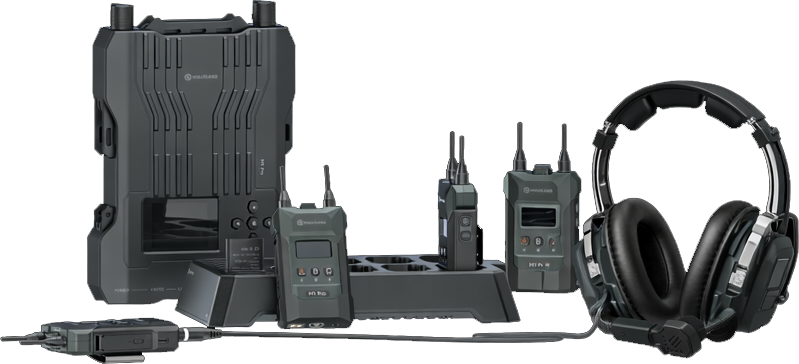
If the venue is large or the stage is far from the desk, choose a base-station system. The Solidcom M1 Pro gives 400 m range, group communication and cascade connection. Hollyland says two cascaded Solidcom M1 sets support group calls for 16 people in three groups.
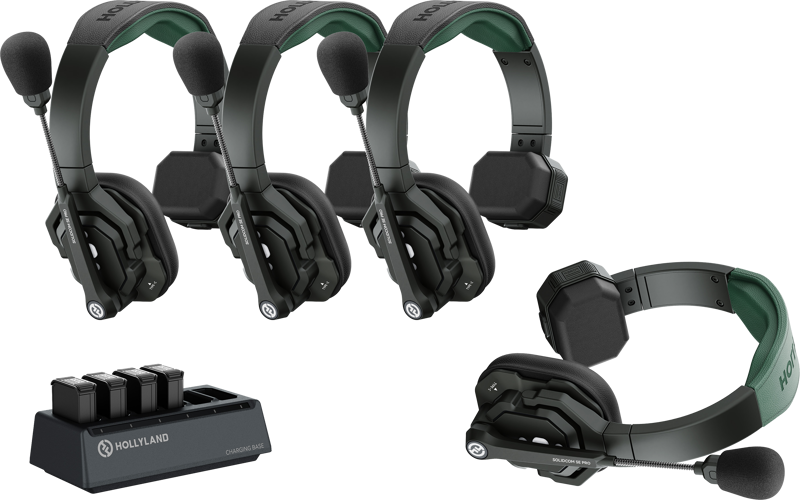
For a lighter budget or a crew of two to four, the Solidcom SE Pro offers up to 400 m range and about 10 hours of battery life, according to Hollyland.
Need more than 10 users in one system? Look at the roaming hubs in our intercom range. Hollyland lists 500 m line-of-sight range for the C1 Pro Roaming Hub.
Connect wireless to wired systems
Many venues already have partyline or a matrix. You do not need to replace it. Clear-Com describes 2-wire as one shared talk and listen path, and 4-wire as separate paths. Before you plug anything in, check which type the venue uses and whether your wireless base offers that interface.
Cable length matters on partyline. Clear-Com’s installation manual says to keep runs under 500 feet (about 150 m). If a run approaches 1,000 feet (about 300 m), set the long-line switches in the stations. Our guide to XLR and DMX cables explains why cable type matters on stage.
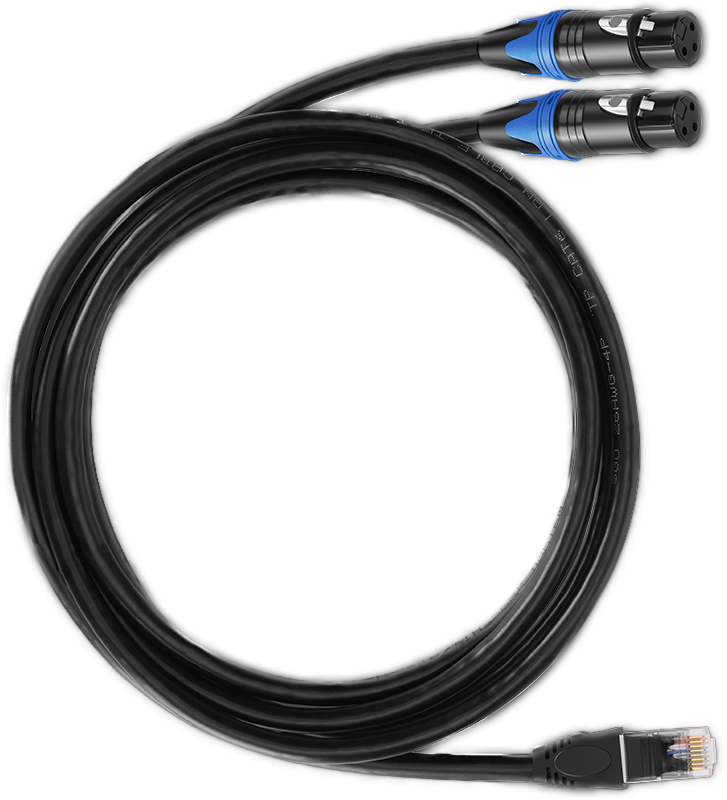
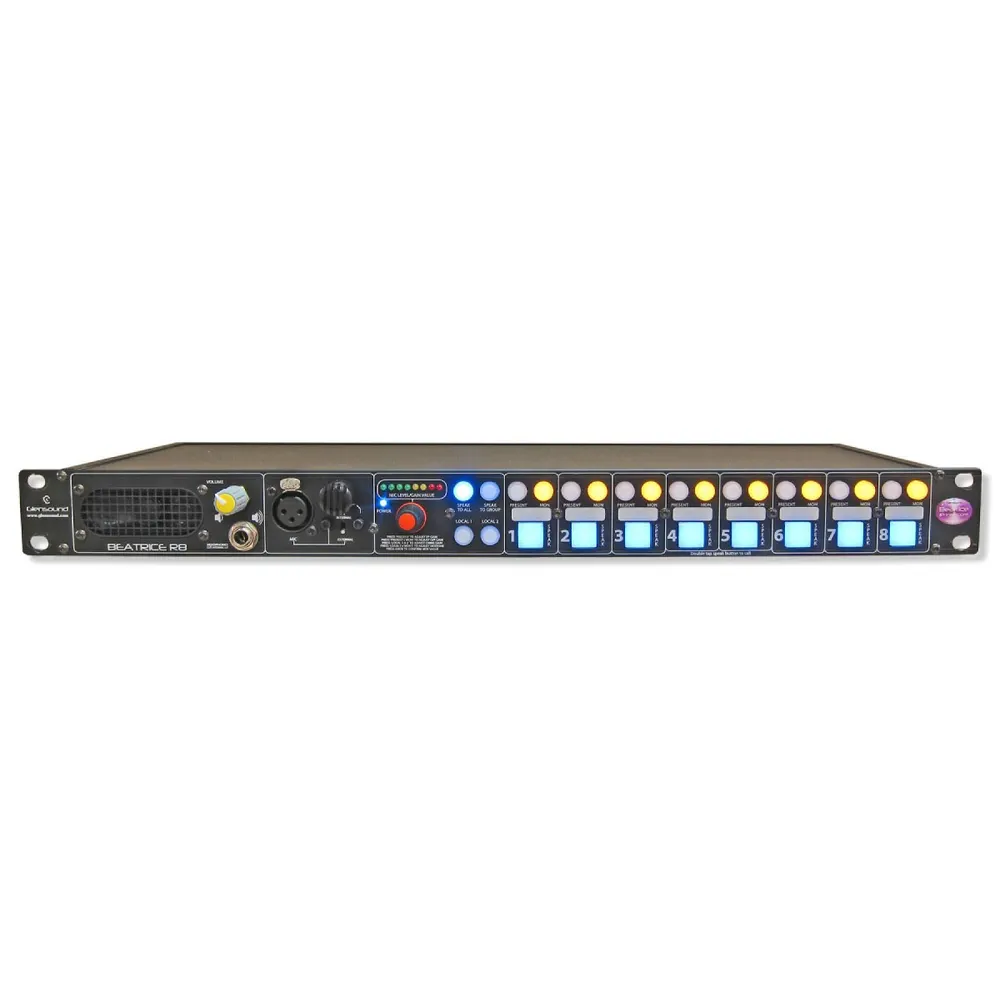
For networked setups, we carry rackmount units such as the Glensound Beatrice R8, an 8-channel network audio intercom for broadcast and theatre. We also carry adapter cables, such as the Solidcom RJ45 to dual XLR cable, to bridge Hollyland systems to XLR gear.
Pick the right headsets
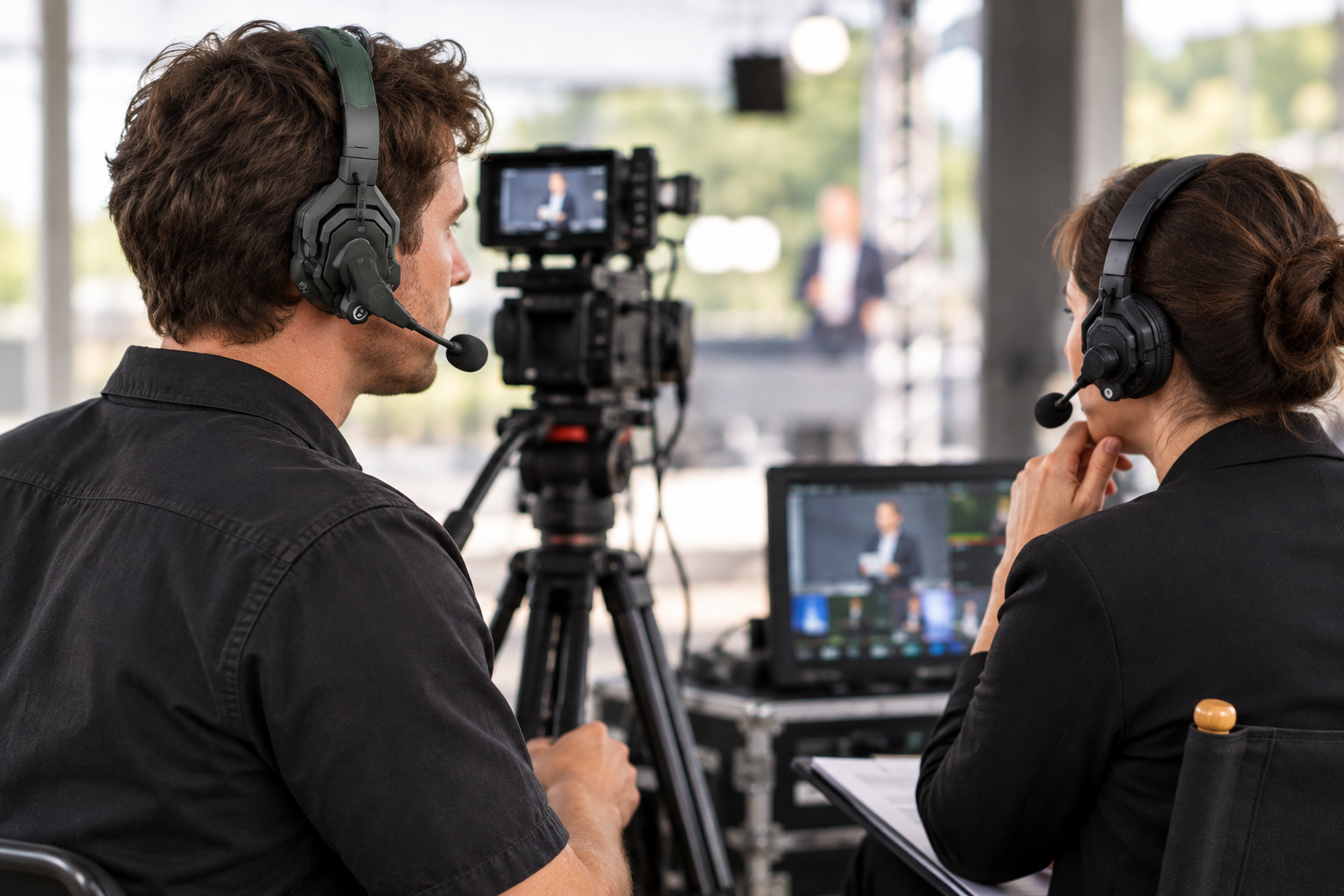
Headsets cause more problems than base stations do. Four checks prevent most of them.
- Single or dual ear. A single-ear headset leaves one ear free for the room. Use dual-ear when crowd or stage noise drowns out the intercom, as Saramonic explains in its guide to loud sets.
- Microphone noise cancelling is not ear isolation. Noise-cancelling microphones clean up your voice for others. Closed earcups block noise for your ears. They are two separate features. Thomann’s spec sheet for the Solidcom C1 Pro lists 20 dB of active noise reduction.
- Microphone type. Clear-Com’s PL-Pro manual calls for a dynamic microphone with 150-250 ohms impedance. RTS beltpacks such as the BP-4000 accept both dynamic and electret. Check what your beltpack expects before buying a headset.
- Connector. Clear-Com’s 4-pin XLR headset uses pins 1 and 2 for the microphone and pins 3 and 4 for the earpiece. 5-pin versions exist for stereo. Match the plug to your beltpack.
Clear-Com also warns that unapproved headsets and Y-cables can add crosstalk to a multi-channel system. Do not “make it work” with a splitter on a wired channel.
Browse spare headsets and cables in our intercom accessories category.
Common mistakes to avoid
- Trusting the range number. A 350 m figure is a line-of-sight maximum. Walk the venue with a headset on before the show.
- Counting only today’s crew. Keep two spare headsets for late additions, so a new crew member does not have to share.
- No battery plan. A 10-hour headset does not last a 12-hour rig day. Charge spares between sessions.
- Wrong regional version. A US-band unit does not match the European DECT band, so check the frequency before you buy.
- Mixing up intercom and in-ear monitors. Talkback for the crew and mixes for performers are different systems. Our in-ear monitor guide covers the performer side.
If you plan a large or permanent installation, speak to a specialist before buying. Matrix systems and antenna networks need planning, and a short call is cheaper than a wrong purchase.
Key Takeaways
- Choose by crew size, distance and existing wiring, not by the biggest range number.
- For most European shows, 1.9 GHz DECT is the license-free, less congested option. Buy the region-correct version.
- Keep desk roles wired or on a hub, and give moving roles wireless headsets.
- Check headset connector and microphone type before you buy.
- Plan batteries and test range on site before doors open.
Tell us your crew size, venue and any existing intercom, and our team will suggest a setup. Start with our intercom systems or contact MediaGear for advice.









